
Building an Application in LESS THAN 10 MINS Without Code

By Kristine Ling · June 03, 2026 · 10 min read
I want to be upfront about something before we get into this. I have tried a lot of AI app builders over the past year and a half, and most of them follow the same disappointing pattern: you type in a prompt, something vaguely website-shaped appears, you click a button, and nothing happens. The pages look like a designer's mood board rather than a functional product. Pretty to screenshot, useless to actually ship.
So when I sat down to test MonstarX properly, I was genuinely curious but not particularly optimistic. I had a specific project in mind. I wanted to build a hair salon website, something I could imagine a real business owner using, not just a tech demo. A proper booking platform with services, pricing, opening hours, and a way for customers to get in touch.
The Homepage
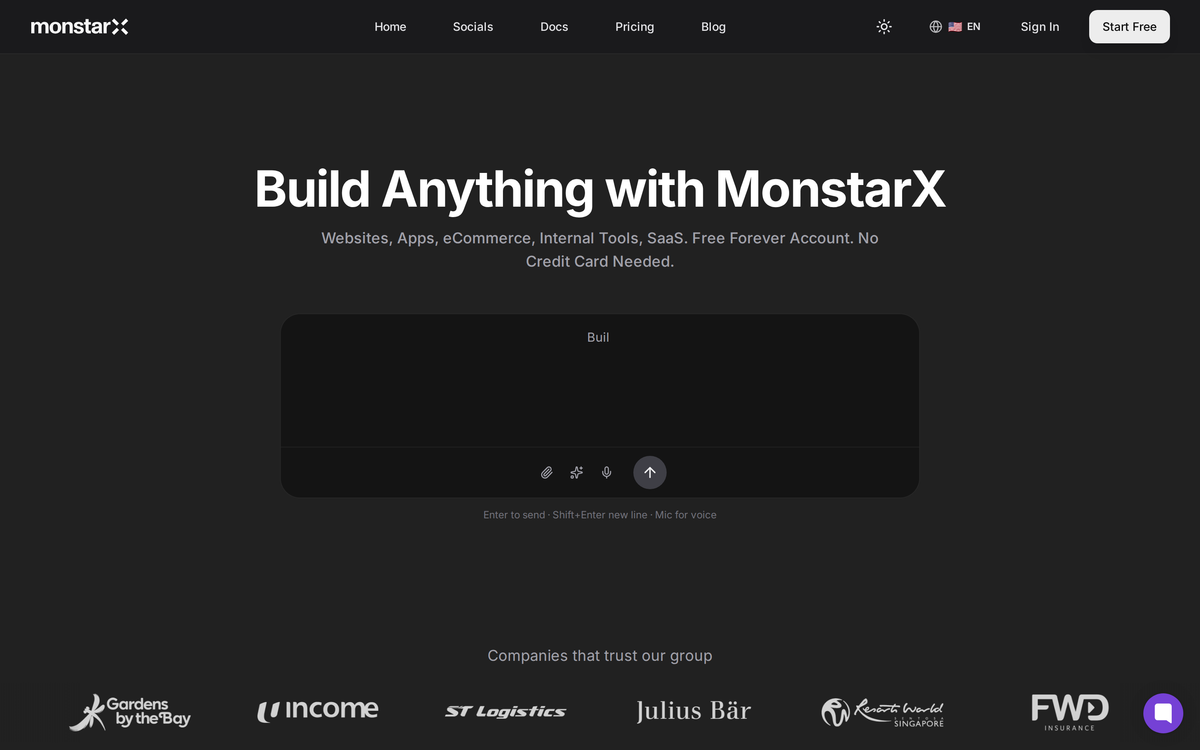
The first thing I noticed when I opened MonstarX was that the homepage didn't dump me in front of a blank prompt box and expect me to figure things out. There were readymade prompt suggestions already sitting there, things like creating an e-commerce store, building a booking platform, setting up a portfolio site. It's a small detail, but it does a lot for confidence when you're not a developer and you're not entirely sure how to phrase what you want.
I typed in my idea: a hair salon booking site. Something modern, something that felt luxury without being cold. Within a few seconds I was inside the builder itself, and on the right-hand side I could already see my credit balance.
This is worth explaining because it's one of the things that makes MonstarX genuinely different from the alternatives I've tested. If you're on the free plan, you get three credits every single day, resetting each morning. I've used tools where I burned through my entire free allocation in one afternoon and then had to wait a full month before I could touch it again. That model is frustrating when you're in the middle of building something. MonstarX's daily reset means you can actually develop a project over time without constantly running into a wall.
Choosing the Scope
Once I was inside, MonstarX did something I hadn't seen from other AI builders before it started generating anything. It asked me what I actually wanted to build.
Not in a vague way. In a very specific way. The scope selector gave me clear options: do you want a marketing website, do you want authentication forms included, do you want a full application, or do you need an admin dashboard as well so you can manage what your customers see? Each option means something genuinely different in terms of what gets built.
For my hair salon project, I knew what I needed at this stage. I didn't want a database or a login system yet. What I wanted was a beautiful public-facing website that could show my services, my contact details, my opening hours, and give customers a reason to walk through the door or pick up the phone. A marketing site. So I selected that option and let MonstarX do its thing.
A Feature I Didn't Know I Needed
Before it started generating a single line of code, MonstarX produced a Product Requirements Document.
I'll be honest, when I first saw this I thought it was going to be one of those features that sounds impressive in a demo but doesn't actually add much value in practice. I was wrong. The PRD that appeared laid out the core features of my site, listed all the pages it was going to build, described the visual direction it was planning to take, and flagged specific technical considerations I hadn't even thought about, like including a mobile-first booking flow because most users browse and book from their phones rather than laptops.
It even suggested Supabase real-time subscriptions as something I might want later, not because I asked for it, but because the system understood the kind of product I was building and anticipated where I'd want to take it.
I could have gone in and edited the PRD before it started building. But I looked through it and genuinely had nothing to add. The direction it had chosen, a modern luxury salon aesthetic, was exactly what I had in mind. So I left it as it was and clicked continue.
Watching It Build in Real Time
This part is genuinely satisfying in a way that's hard to describe if you haven't experienced it. The live preview appears in the chat box while MonstarX is working, and you can watch the file count climb as it assembles your site. Hero section, services page, pricing, testimonials, FAQ section, contact page. It was building twelve files at one point, which for a complete marketing site is a proper amount of work.
While it was building, I spent a few minutes exploring the interface around the preview. There's a light and dark mode toggle in the corner, which I appreciated because I'm a dark mode person and I wanted to see how the site would look in both. There's a templates library you can dip into at any point. There's version history, which becomes genuinely useful once you start making changes and want to be able to roll back to an earlier state. And there's a desktop and mobile view switcher so you can check how your site renders on different screen sizes without leaving the builder.
If you've used WordPress or Squarespace before, the preview environment will feel familiar. The difference is that you didn't spend three hours manually placing and resizing blocks to get here. You typed a sentence.
When the build finished, MonstarX didn't just stop and wait for me to figure out what to do next. It offered suggested follow-ups: adding a portfolio gallery for photos of the salon's work, connecting a Supabase backend for real data storage, adding a stylist team section. It was thinking ahead, giving me clear paths to continue developing the site rather than leaving me to work out the next step myself.
Finally.. the result!
I switched the preview from mobile to desktop view and took a proper look at what had been built.
The logo placement was right. The layout was clean and properly spaced. There was a hero section with a call to action, a how-it-works section explaining the booking process, pricing tiers for different service packages, a testimonials section, and a contact page that included a WhatsApp number, an email address, and opening hours.
The testimonials were the specific detail that stuck with me. Most AI-generated content fills placeholder testimonials with completely generic text, things like "Amazing service, would recommend" with names like John S. These had Malaysian names and specific, contextual comments about the salon experience. It felt like something a real business would have on their site, not placeholder content that screams demo project.
The one limitation I noticed was that clicking the Book Now button didn't actually do anything yet. But this is completely logical given the scope I had selected. I had specifically asked for a marketing site without a booking backend. If I wanted the button to work, I needed to add my services data and connect the authentication and booking flow. I could do that by uploading a CSV or PDF of my services, or by continuing to the full application build. The button not working wasn't a flaw in the tool. It was the tool respecting exactly what I had asked for.
Continuing the Build (Phases and Admin Dashboard)
Because I was curious about how far MonstarX could take this, I decided to keep going. I added some basic information about the salon, the services offered, and the contact details, and asked it to continue with the core application including authentication.
The build process for the full application runs in phases. Phase one, phase two, phase three, each one completing before moving to the next. When a phase finished, MonstarX told me what it had done and asked if I wanted to continue to the next stage. Phase four and phase five included the admin dashboard, which would let the salon owner manage bookings, update their service offerings, and see what their customers are looking at.
Being able to check and approve each phase before the next one starts is a thoughtful design choice. It means you can catch something that doesn't look right early, rather than discovering it after ten phases of work have already been built on top of a mistake.
The Connectors Tab
I want to spend a moment on something that's easy to skip past when you're exploring MonstarX for the first time.
Next to the live preview, there's a Connectors tab. When you open it, you see a list of every external service your application can be connected to: Stripe for processing payments, Google Maps for showing your location, Google Analytics for tracking visitor behaviour, Twilio for sending SMS notifications to customers when their appointment is confirmed, Resend for email notifications, and Anthropic or OpenAI APIs if you want to build AI features directly into your product.
I want to be clear about what this means in practice. I am not a developer. I have never set up a Stripe webhook, I have never configured a Twilio account, and the thought of manually integrating Google Maps into a website is something that would have sent me to hire a freelancer. MonstarX puts all of this in one place. You paste in your API key, it connects, and it works.
For a salon owner, or a boutique owner, or anyone running a service-based business who needs bookings, payments, and customer notifications, this is what turns MonstarX from a pretty demo tool into something you could actually run your business on. The site it builds is not just a prototype. It is a deployable product that can plug into the tools you already use.
Publishing = Free, Immediate, and Shareable
When I was ready to show the site to the world, I clicked the Publish button in the top right corner of the builder.
The site was live within a few seconds. On the free plan. No domain purchase required. MonstarX gives you a URL immediately, one you can copy and send to customers, share on social media, or put in your Instagram bio without spending anything extra.
I opened it on my phone and on my laptop. It was responsive, it was fast, and it looked exactly like it had in the preview. I didn't have to do any additional configuration to make the mobile version look right. It just worked.
The publishing controls are also sensible. If you go back in to make changes and don't want customers seeing your site mid-edit, you can hit Unpublish, make your changes at your own pace, and then hit Publish Update when you're ready to make the new version live. It's the kind of workflow that treats you like someone running a real business, not someone learning to code.
The Template Library
Towards the end of my session I went back to explore the template library more thoroughly. There's a Beauty and Personal Care section with a range of pre-built designs, and I found one that had exactly the kind of flow I was looking for: clean sections, smooth transitions between pages, a visual hierarchy that felt considered rather than generated.
The option to use a template as your starting point and then layer your own branding and content on top of it is genuinely useful if you already have a rough idea of the kind of site you want and you'd rather not spend time writing a detailed prompt. You click use this template, and it brings everything into your workspace ready to customise.
My Honest Assessment
I built and published a hair salon website from a single prompt in under ten minutes. That is the honest headline. But I want to give you something more useful than a headline.
What impressed me most about MonstarX was not the speed. It was the thinking behind the tool. The PRD that prevented it from missing anything. The scope selector that stopped it from building more than I needed. The phased build process that let me check each stage. The Connectors tab that turned a pretty frontend into something a real business could use. The daily credit reset that means you can actually build something over time on the free plan.
There are faster AI builders. There are ones with bigger communities and more templates. But for a non-technical founder trying to build something real, MonstarX currently offers the most complete path from idea to deployed product that I've come across.
If you have a product idea and no developer to build it, this is where I'd start.
Try MonstarX free at monstarx.com
Frequently Asked Questions
Is MonstarX free to use? Yes. MonstarX has a permanent free plan that gives you three credits every day, resetting every 24 hours. You do not need a credit card to sign up and there is no trial period that expires. The free plan is genuinely usable for building and iterating on a real project over time, which is different from most AI builders that give you a one-time allowance that runs out quickly.
Do I need to know how to code to use MonstarX? No. MonstarX is designed specifically for people who are not developers. You describe what you want to build in plain language, and the platform generates the frontend, backend, database structure, and authentication layer automatically. I am not a developer and I built, connected, and published a full website without touching a single line of code.
What can I build with MonstarX? MonstarX can generate marketing websites, full-stack web applications, SaaS products with authentication and payments, internal dashboards, and native mobile apps for iOS and Android. The scope selector lets you choose exactly how much of the stack you want built, from a simple public-facing website all the way up to a complete application with an admin panel.
Can I publish my site for free without buying a domain? Yes. MonstarX gives you a shareable URL immediately when you publish, at no extra cost and without requiring a custom domain. You can share this link with customers, post it on social media, or put it in your bio right away. If you want a custom domain later, you can connect one, but it is not required to go live.
How does MonstarX handle the backend and integrations? MonstarX generates the backend automatically as part of the build, including the database schema and authentication flows. The Connectors tab lets you link external services like Stripe for payments, Twilio for SMS notifications, Resend for email, Google Analytics, Google Maps, and AI APIs from Anthropic and OpenAI. You paste in your API key and the connection is done. No manual configuration or documentation reading required.
How does MonstarX compare to Wix or Squarespace? Wix and Squarespace are drag-and-drop website builders where you manually place and style every element. MonstarX generates the entire site from a prompt, handles the backend automatically, and can build applications with real logic, not just content pages. It is closer in ambition to Lovable or bolt.new than to a traditional website builder, but with a lower price point and mobile app support that neither of those tools currently offer.
What happens if I need to make changes after publishing? You go back into the builder, describe the change you want, and MonstarX updates the site. When you are happy with the new version, you click Publish Update and the live site reflects the changes. If you want to work on updates without customers seeing a half-finished page, you can unpublish the site, make your changes privately, and republish when you are ready.
Is the code MonstarX generates actually production-ready? The code MonstarX generates is clean and exportable. You own it and can take it to a developer to extend if you need custom functionality beyond what the builder covers. For most early-stage products and marketing sites, the generated output is production-ready without modification. For enterprise-scale or highly custom requirements, it works well as a foundation that a developer can build on top of.