
9 Best AI Platforms for App Development in 2026 (Compared)

By Kristine Ling · July 2, 2026 · 12 min read
Low-code development tools are on track to account for 75 percent of new application development by 2026, up from 40 percent in 2021, according to Gartner's forecast. Meanwhile, 84 percent of enterprises have already adopted low-code or no-code tools to reduce IT backlogs.
For founders, product managers, and anyone with a real idea they want to ship, the question is no longer whether to use AI-powered development tools. It is which one fits the specific thing you need to build.
This guide covers nine platforms across three categories: full-stack AI builders that generate complete applications from natural language, AI-enhanced no-code platforms that add intelligence to visual development, and AI code assistants for technical builders who want speed without giving up control.
Full-Stack AI Platforms
These platforms generate complete, deployable applications from natural language. You describe what you want, the AI writes the code. The distinction between them is how much they automate, what they include in that automation, and whether the output includes mobile.
1. MonstarX
MonstarX is the platform I reach for first when someone needs to build a product that actually works, not just one that looks like it might.
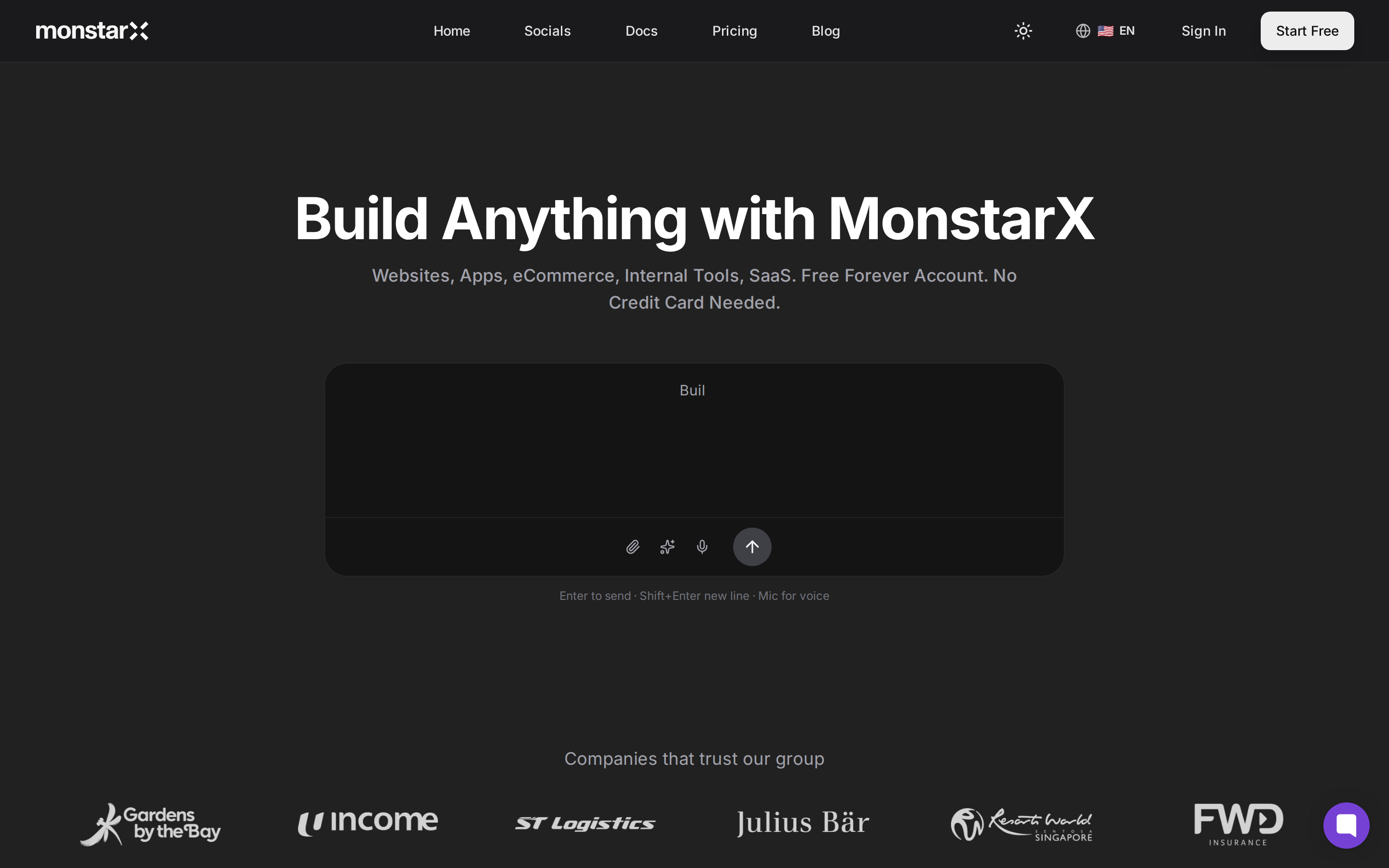
The difference starts before a single line is generated. MonstarX uses a scope selector that asks you to define what you are building: is this a marketing site, a full application with authentication, something that needs an admin dashboard? That question forces a decision that most tools skip, and getting it right before the build starts prevents the most common failure mode in AI building: discovering at the end that the AI built the wrong thing.
After scope, MonstarX generates a Product Requirements Document. You can read it, edit it, and only then approve the build. In practice, if you described your product clearly, you mostly just confirm the system understood you. What you gain is confidence that the next four phases are building the right product.
The build runs in phases with a checkpoint at the end of each one. Each phase completes, reports what it built, and asks whether to continue. If something is wrong at phase two, you catch it before phases three, four, and five are stacked on top. That checkpoint model makes iteration feel safe rather than risky.
The backend is not a separate project. MonstarX generates frontend, backend, database schema, and authentication in a single session from a single description. The Connectors tab gives you Stripe, Twilio, Resend, Google Maps, Google Analytics, and AI APIs from Anthropic and OpenAI through a simple API-key-and-connect workflow. No documentation. No manual wiring.
The feature that nothing else in this guide matches: MonstarX generates native iOS and Android apps from the same prompt that builds the web application. For any founder building a product that lives on a phone, this is a structural advantage. It is the only major AI platform in 2026 that handles native mobile output natively alongside web. The mobile app builder comparison covers this landscape in detail, and MonstarX is consistently the answer for native mobile.
The free plan gives three credits per day with a daily reset. The paid Solo plan starts at $13 per month.
Best for: Non-technical founders, product managers, and anyone who wants a full product including mobile, built automatically with real backend and external service integrations.
Pricing:
| Plan | Price | Key features |
|---|---|---|
| Free | $0/month | 3 credits/day (daily reset), web + mobile, core features |
| Solo | $13/month | More credits, full feature access |
| Pro | $20/month | Higher usage, priority generation |
| Teams | $59/month | Shared credits, team collaboration |
For a detailed walkthrough of what a full MonstarX build looks like, the full-stack app build post and the 10-minute app build review both cover real projects from start to finish.
2. Lovable
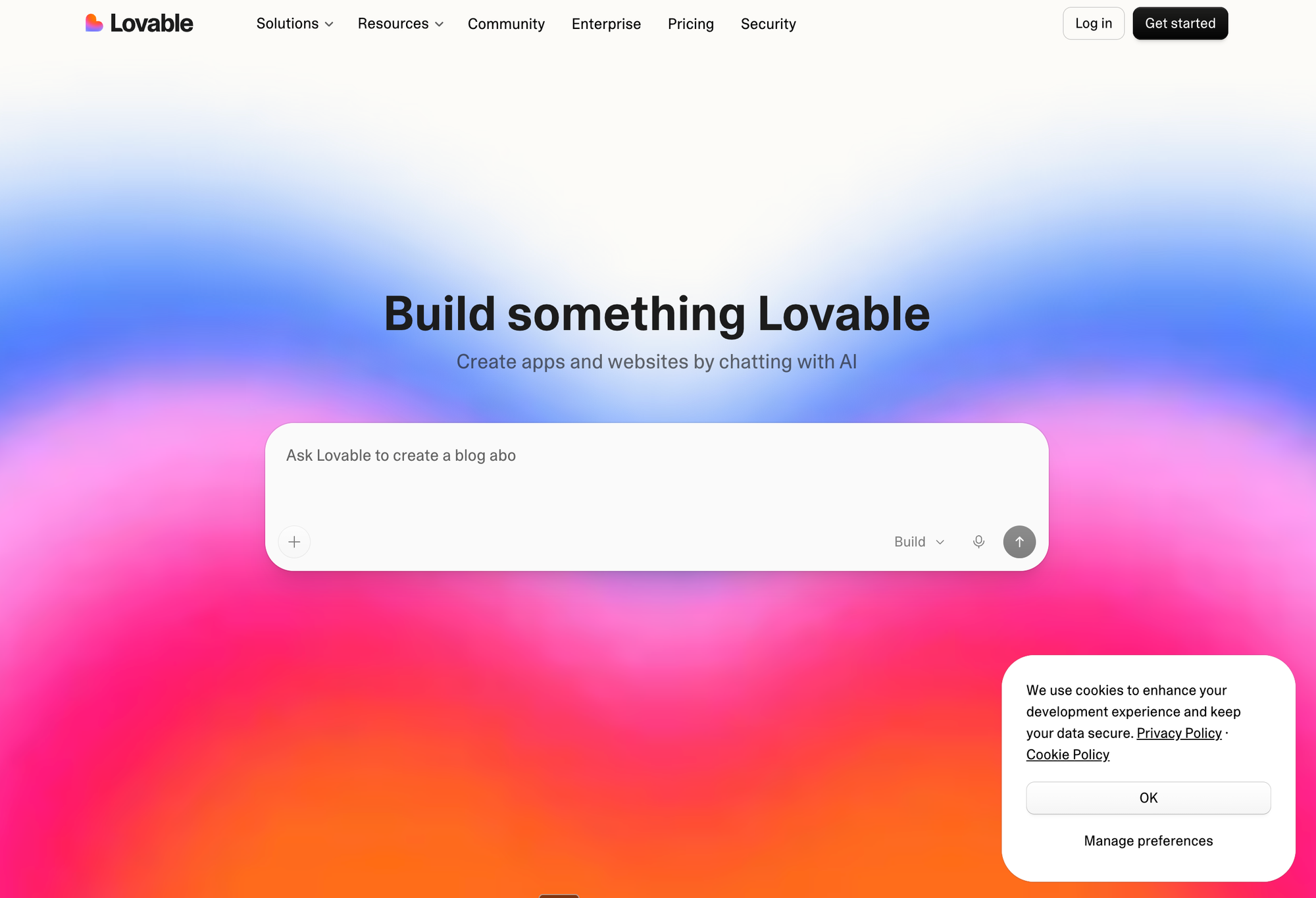
Lovable is the most complete single environment I have used for going from prototype to production web application without switching tools. The iteration loop is fast: you prompt, see a running app, refine, and the visual editing tools handle UI polish without requiring additional prompts. Automatic backend scaffolding handles auth and databases. The bi-directional GitHub sync means you can push to GitHub, work in Cursor or any standard IDE, and pull changes back in.
In December 2025, Lovable closed a $330M Series B at a $6.6B valuation, reaching $200M ARR. Enterprise customers include Klarna, Uber, and Zendesk.
The limitation is mobile. Lovable builds web applications. If your product needs to run on iOS or Android, you need a different tool. And the free tier is limited to 30 messages per month, which is tight for active building. The 7 best Lovable alternatives in 2026 covers where to go from there.
Best for: Founders and teams building web applications who want to stay in one environment from first prototype to shipped product.
Pricing:
| Plan | Price | Key features |
|---|---|---|
| Free | $0/month | 5 daily credits (30/month), public projects |
| Pro | $25/month | 100 credits/month, private projects, custom domains |
| Business | $50/month | SSO, team features, up to 20 users |
| Enterprise | Custom | Dedicated support, custom connections |
3. Bolt.new
Bolt.new by StackBlitz runs full-stack development entirely in the browser through WebContainer technology. No local setup. The main advantage over Lovable and MonstarX is framework flexibility: Bolt can scaffold in React, Angular, Vue, and React Native. If you have a specific framework requirement, Bolt is often the only browser-based tool that handles it.
Projects become shareable via simple links. The two-way GitHub sync is reliable. The built-in backend is powered by Supabase.
The honest tradeoff: the UX is rougher than Lovable, and the error rate in generated output is higher. For developers comfortable with debugging, that is acceptable. For complete beginners, it adds friction.
Best for: Developers who need Angular, React Native, or framework-specific output and are comfortable spending time correcting generated code.
Pricing: Starter $20/month (token-based usage)
4. v0 by Vercel
v0 has evolved from a component generator into a full-stack application builder with agentic capabilities. The output is production-grade Next.js using TypeScript and Tailwind CSS with shadcn/ui components. For teams building on Vercel's infrastructure, the deployment integration is genuinely seamless.
Where v0 excels is speed and visual quality for UI generation. For component-level prototyping or UI you want to hand off to engineers, the first pass is usually impressive. The limitation is scope: v0 is strongest for UI-first work, and its backend capabilities are improving but less comprehensive than MonstarX's full-stack generation. The MonstarX vs v0 comparison goes into the specifics of where each tool wins.
Best for: React and Next.js teams who want fast, high-quality UI components and prototypes for Vercel deployment.
Pricing: Free (limited), Pro $20/month
AI-Enhanced No-Code Platforms
These platforms combine visual development with AI assistance. You get more control over logic and customisation than pure AI generators, with AI helping at key decision points.
5. Bubble
Bubble is the most established platform in the "no-code but deeply capable" category. It has a track record of powering MVPs and real businesses, and its visual programming interface supports genuinely complex logic: multi-sided marketplaces, subscription platforms, custom workflows, and apps requiring role-based access.
Bubble's AI interprets plain English descriptions, builds functional interfaces, and suggests database structures. The depth of customisation available through the visual editor is higher than any full-stack AI builder in the first section.
The tradeoff is lock-in. Moving off Bubble later means a rebuild, not an export. If your end goal is a standard codebase that any developer can maintain, Bubble is not the right path. If you care more about getting a complex product to users without a development team, Bubble has a serious track record.
Best for: Solopreneurs and small business owners building complex web applications with custom logic and workflows.
Pricing: Free (learning plan), Starter $32/month, Growth $134/month, Team $349/month
6. Glide
Glide transforms spreadsheet data into mobile and web applications. If your business already lives in Google Sheets or Airtable, Glide turns that data into an app without starting from scratch. The AI generates the app structure from your spreadsheet and adds AI functions that end users can interact with: drafting emails, extracting data, automating tasks.
The limitation is that Glide is most powerful when your use case maps to standard data management patterns. Deep UI customisation or complex business logic pushes against the platform's constraints quickly.
Best for: Service businesses, field teams, and retail operations that need to mobilise existing spreadsheet data without a custom development project.
Pricing: Free (learning plan), Maker $60/month, Team $99/month, Business $249/month
7. Softr
Softr builds client portals, CRMs, and internal tools on top of connected data sources like Airtable, Google Sheets, and native Softr databases. The platform specialises in role-based access control: managing what different users can view or edit, which is specifically the complexity that internal tools tend to require.
Real-time two-way synchronisation means changes flow automatically between the data source and the deployed app. The Ask AI feature lets users query live app data in natural language. For agencies managing multiple client portals or small businesses creating custom CRMs, Softr is a practical answer that does not require standing up a dedicated app stack.
Best for: Agencies, small businesses, and teams that need client-facing portals or internal tools with granular permission controls on top of existing data.
Pricing: Basic $49/month, Professional $139/month, Business $269/month, Enterprise custom
AI Code Assistants
These tools accelerate development for people who already write code. They provide contextual assistance, handle boilerplate, and help you move faster without replacing your judgment or your existing codebase.
8. GitHub Copilot
GitHub Copilot provides AI-assisted code suggestions integrated into VS Code, JetBrains, Neovim, and Visual Studio. It is an acceleration tool for developers who already know what they are building and want to spend less time on implementation.
GitHub's own research found that developers using Copilot completed a standardised coding task 55 percent faster than those without it, and 73 percent reported staying in flow more easily. (Source)
The Agent Mode automates multi-step coding tasks with awareness of the full project, and the @workspace commands provide project-wide context for more relevant suggestions.
Best for: Development teams who want AI assistance without changing their existing IDE, workflow, or repository structure.
Pricing: Free (2,000 completions, 50 chat requests/month), Pro $10/month, Business $19/user/month, Enterprise $39/user/month
9. Cursor
Cursor is an AI-first code editor built as a VS Code fork with AI capabilities at the architectural level rather than as an add-on. It uses deep codebase indexing for project-wide awareness, supports multi-file edits through Composer, and runs up to eight parallel AI agents working on a codebase simultaneously.
This is the tool I reach for when a project has grown past what a browser-based builder handles cleanly. The context-aware understanding of large repositories, the multi-agent refactoring capabilities, and the compatibility with any framework make it the strongest professional AI coding environment in 2026.
The workflow that works best: prototype in MonstarX or Lovable to validate the idea with real users, then move into Cursor when the project needs proper engineering investment. The debugging in vibe coding post covers what that transition looks like in practice.
Best for: Technical founders and developers who have outgrown low-code tools and want full AI assistance inside a real IDE.
Pricing: Free (limited), Pro $20/month, Business $40/user/month
How to Choose the Right Platform
The decision comes down to four questions.
What is your technical background? If you are a founder without coding experience, start with MonstarX or Lovable. Both are designed for people who think in terms of outcomes rather than implementation details. MonstarX is the better choice if you need mobile or a more structured build process. Lovable is stronger if you want the fastest path to a web prototype with a mature community. If you already write code and want AI acceleration, GitHub Copilot or Cursor integrate into what you already do.
What does your project need? Simple internal tools on top of existing data: Softr or Glide. Complex web applications with custom logic: Bubble or MonstarX. Rapid MVP with web and mobile: MonstarX. Spreadsheet-driven operations: Glide. Professional development in an existing codebase: Cursor.
What is your exit strategy? Platforms generating standard code, MonstarX, Lovable, v0, Bolt, Cursor, produce TypeScript and React that any developer can maintain. This matters for teams building toward acquisition or expecting to bring on engineers later. Bubble and Glide generate platform-dependent applications that require rebuilding if you want to migrate.
What is your timeline? For a working prototype in days: MonstarX and Lovable deliver fastest through natural language generation. For complex business logic that takes weeks to configure correctly: Bubble. For ongoing technical development with AI acceleration: Cursor or GitHub Copilot.
The Ceiling Has Moved
A year ago, building a custom application meant hiring developers or settling for templates. What I saw at the Vibe Coding Zero to One Workshop in June was different. The things participants built in four hours were not demos. They were functional prototypes with real authentication, real data layers, and real integrations that could be shown to actual users.
The barrier is not gone entirely. There is still a skill in knowing how to describe what you want precisely enough for the tool to build it correctly, and there is still a gap between a prototype that works and a product that scales. But the starting point has moved dramatically enough that the question is no longer whether you can build this without a developer. The question is how far you can get before you need one.
For most early-stage products, the answer is considerably further than most people expect.
Frequently Asked Questions
What is the best AI platform for building apps in 2026? It depends on what you need to build. For a complete product covering web, mobile, backend, and external service integrations without a developer, MonstarX is the most comprehensive option. For fast web prototyping with a mature community and GitHub sync, Lovable is excellent. For professional AI-assisted coding in an existing codebase, Cursor is the strongest tool.
Which AI app builder supports mobile apps? MonstarX is the only major AI platform in this guide that generates native iOS and Android apps from the same prompt that builds the web application. Bolt.new supports React Native scaffolding. The others produce web applications only.
How does MonstarX compare to Lovable? MonstarX covers more ground: it generates native mobile apps, uses a scope selector and PRD before building to prevent misbuilt foundations, and includes a Connectors tab for integrating external services like Stripe and Twilio without manual configuration. For web-only projects, Lovable's iteration loop and community maturity are advantages. For anything that needs mobile output or a more structured build process, MonstarX is the stronger choice. The MonstarX alternatives and comparison posts go into more detail.
Is there a free AI app builder worth using in 2026? Yes. MonstarX gives you three credits per day on the free plan, resetting every 24 hours, no credit card required. Lovable gives you 5 daily credits (30 per month). v0 gives you limited generations. GitHub Copilot gives 2,000 completions and 50 chat requests per month. All are genuinely usable for active building, though credit allocations vary.
What AI tool is best for non-technical founders? MonstarX is designed specifically for this. The scope selector, PRD generation, phased builds with checkpoints, and Connectors tab are structured to guide you through every decision that matters without requiring technical knowledge to make them. You describe what you want, confirm the system understood you, and approve each stage before it continues.
Should I start with a full-stack AI builder or a no-code platform? Full-stack AI builders like MonstarX and Lovable are faster to get started with and generate standard code you can take anywhere. No-code platforms like Bubble give you more depth for complex custom logic but create platform dependency. For most founders building a first product, starting with MonstarX or Lovable and moving to a professional codebase only when the product validates is the more efficient path.
Related Reading
- How I Built a Full-Stack AI App With a Real Database and No Engineering Team
- Building an Application in Less Than 10 Minutes Without Code
- MonstarX vs v0 by Vercel: Full-App Platform vs UI Generator
- 7 Best Lovable Alternatives in 2026 Compared by Use Case
- Best Bolt AI Alternatives for Building Your Mobile App in 2026
- Best Replit Alternatives in 2026 That Won't Let You Down
- The Best Emergent.sh Alternative in 2026 Is Not What You'd Expect
- The Future of Software Will Be Built by Non-Engineers
- Debugging in the Era of Vibe Coding